
我們最常碰到的是 port 8080 1443
使用者把管理埠
http 80 改為 8080
https 443 改為 1443
MHG
NFW
NGFW
MLS
Your browser sent a request that this server could not understand.
Reason: You're speaking plain HTTP to an SSL-enabled server port.
Instead use the HTTPS scheme to access this URL, please.
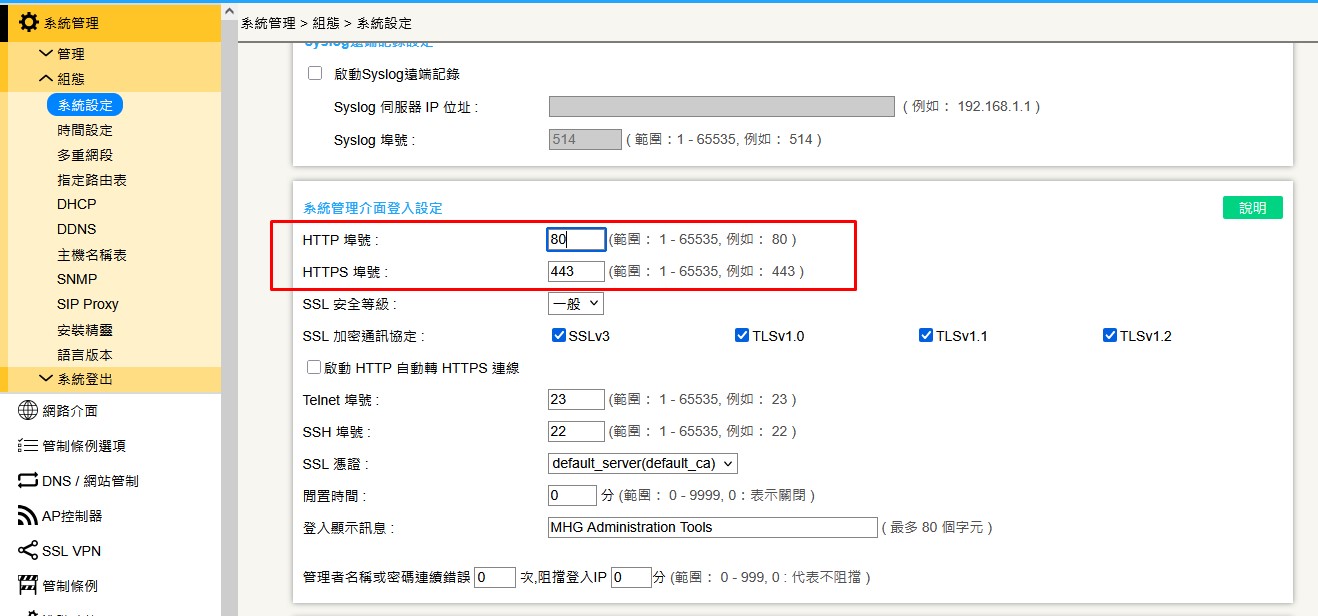
系統管理
系統設定
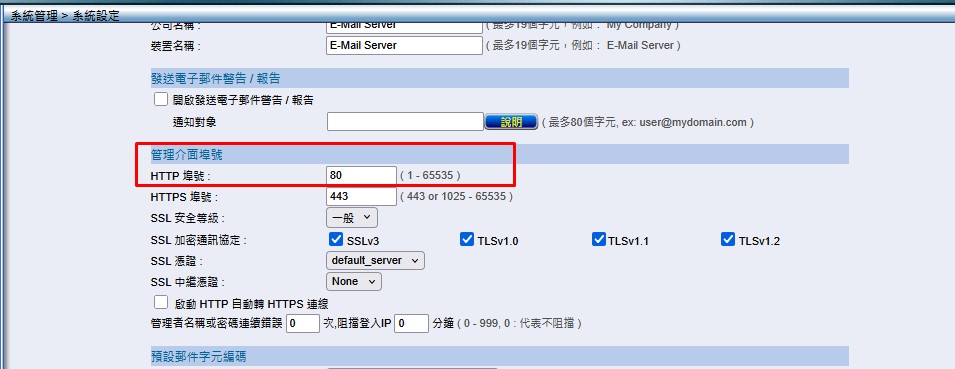
因為 port 8080 常為 web mail 或是其他功能所佔用
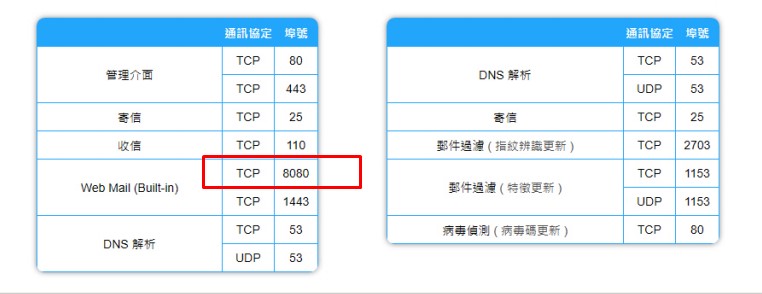
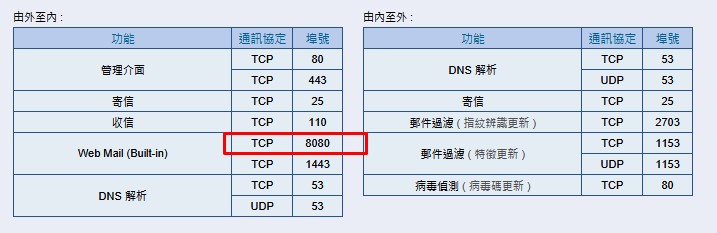
因此就
連不到管理介面了
這時候別慌
關電源
重新開機
管理埠會優先佔用
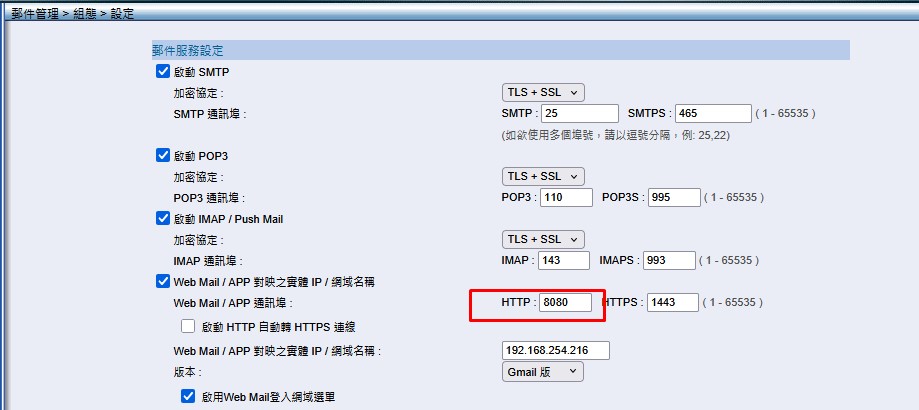
重新登入管理介面後
請修改 web mail port