
照圖順序執行設定
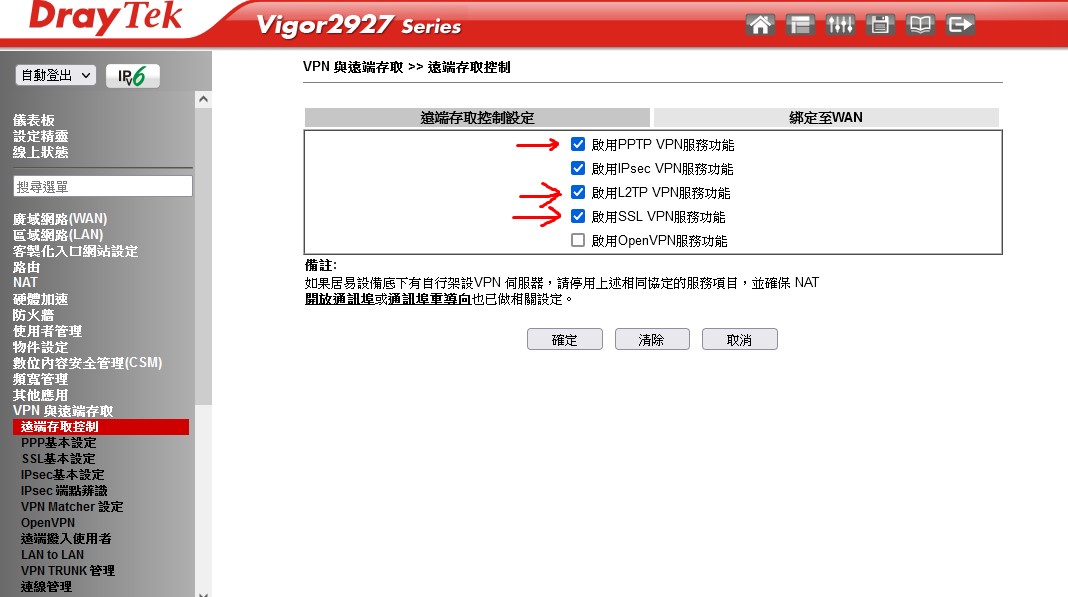
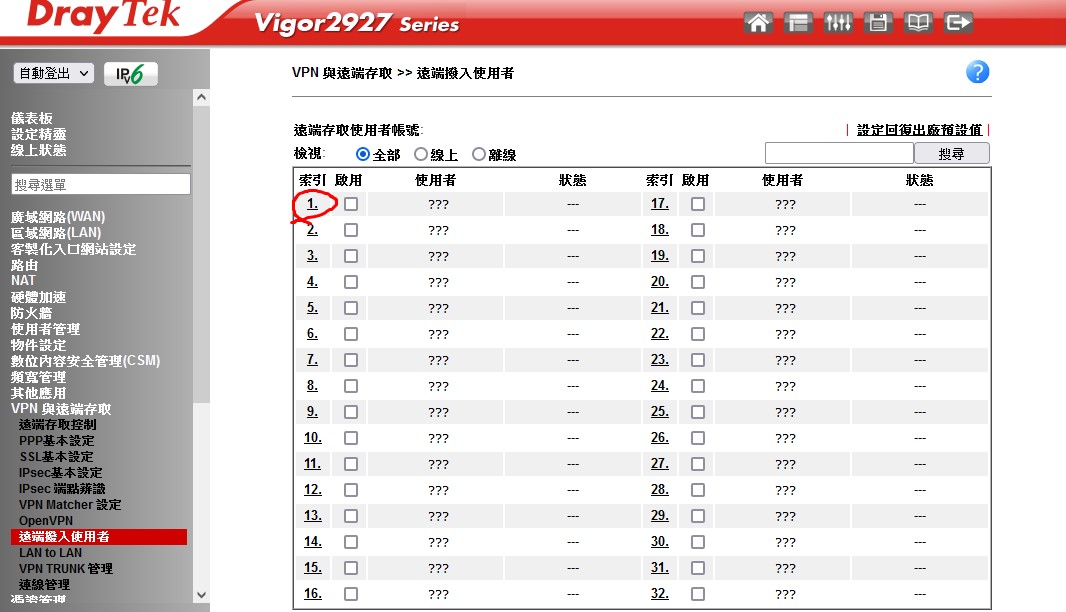
設定帳號
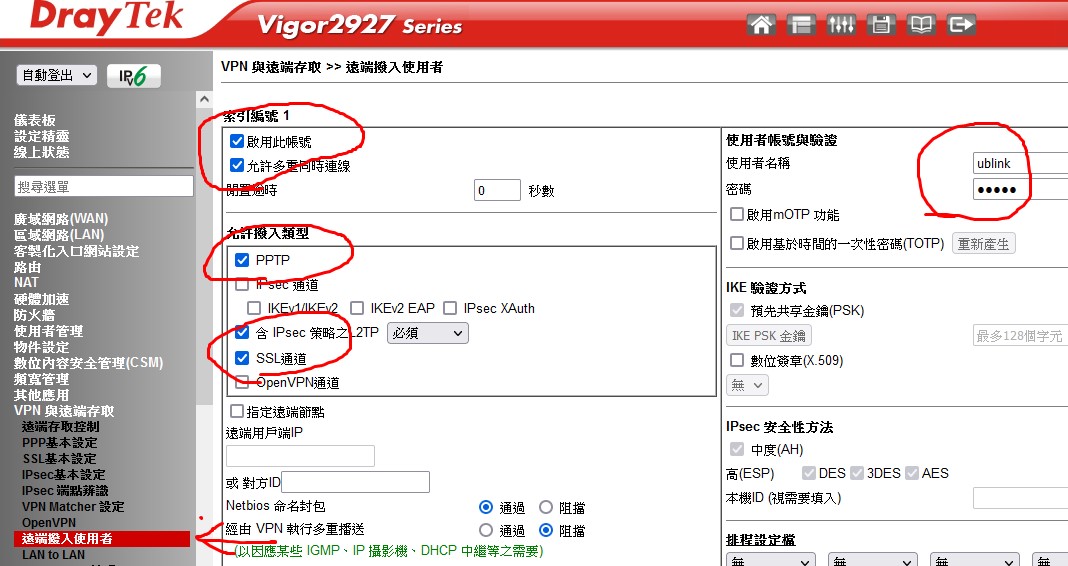
啟用帳號密碼
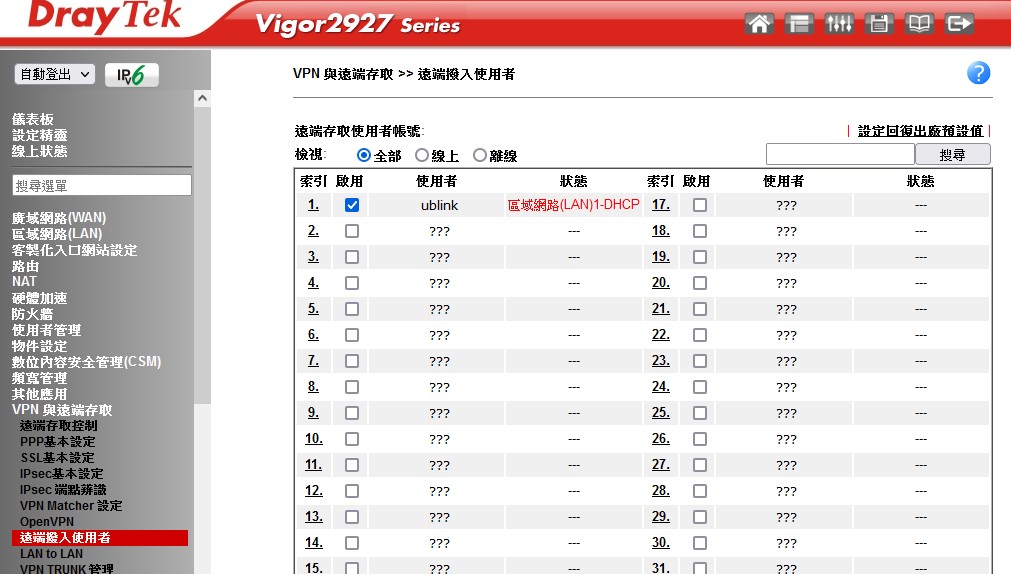
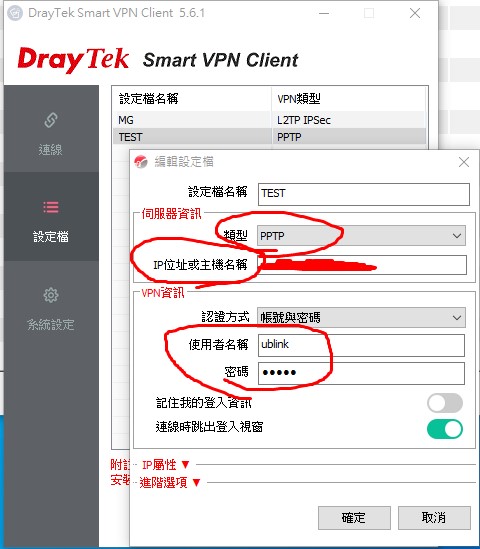
SmartVPN Client 的設定
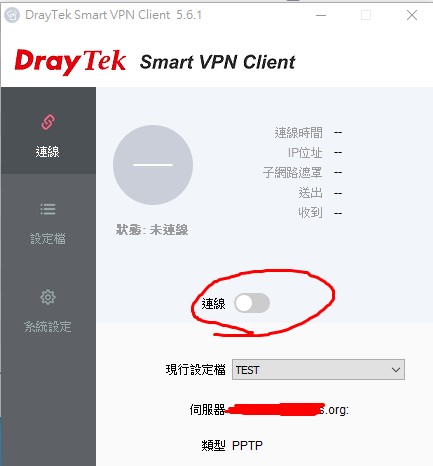
啟用連線
ps: 撥接的內網 IP 不能和 VPN 內網 IP 同區段
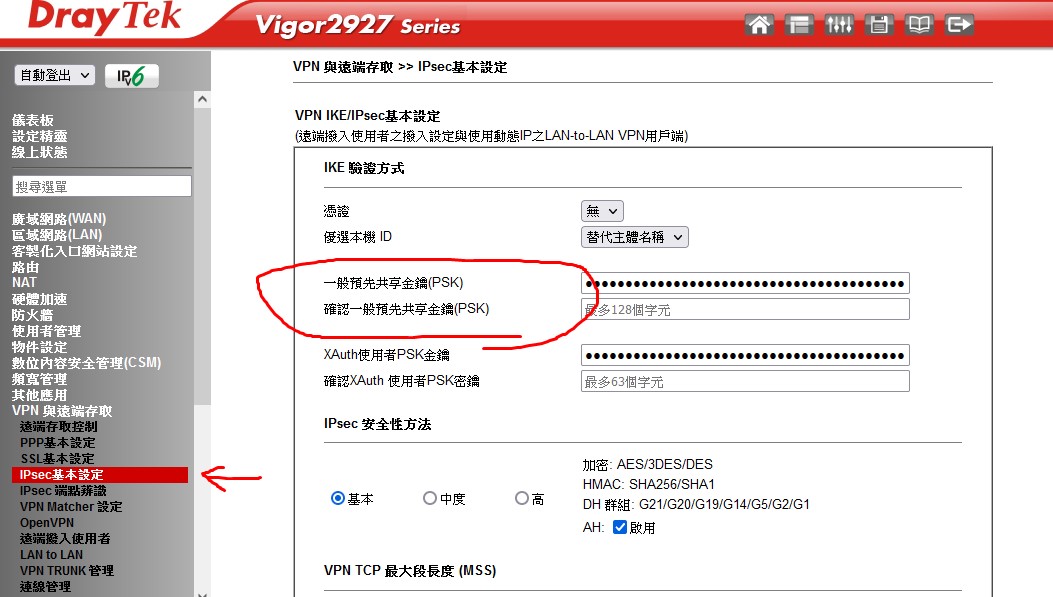
L2TP over ipsec
PSK 共享金鑰 在這邊設定
syslog
<141>Jan 8 17:12:56 DrayTek: [L2TP][Radius/LDAP][0:][@198.235.24.89] L2TP control_xmit retry failed
<141>Jan 8 17:12:56 DrayTek: [L2TP][@198.235.24.89] pppShutdown
# L2TP 控制傳輸重試失敗,撥入失敗
2026-01-21 07:57:48 Prase error : byte 2 of ISAKMP Identification Payload must be zero, but is not
2026-01-21 07:57:47 [IPSEC/IKE][Local][66:-][@59.125.9.159] smalformed payload: probable authentication (preshared secret) failure:
SmartVPN Client 錯誤畫面
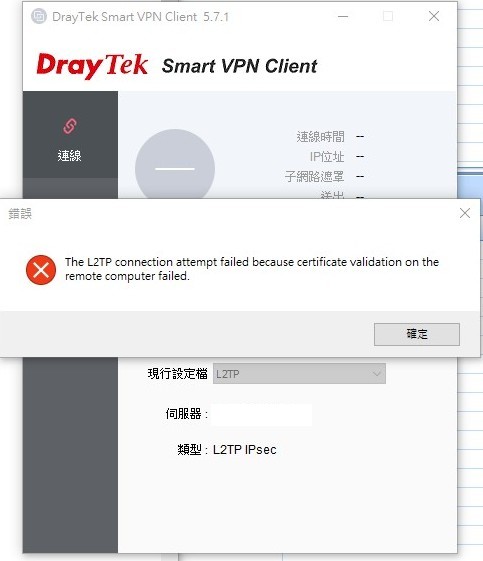
The L2TP connection attempt failed because certificate validation on the remote computer failed.
遠端認證失敗
# IKE PSK 錯誤